After finishing the Lexicon LXP-1/Reflex editor – I parked the LXP 15 for now (but saved a copy of the LXP-1 and LXP-5 combined in one with all the algorithms created, to build the 15). I parked the Lexicon projects because I really need variation to keep it all interesting. As a result, I’m back with Roland. As Per usual, I like to keep a blog record so that when I update or fix things, I remember why I undertook a certain action in the way that I did. I regulary update these pages with progress updates. Additionally, while building the editor, I want to document oddities that I come across, often quirks that give the devices charm. It’s now the New Year (2nd January) and I have a new editor in the works!
So what is the Juicy1010 and what does it look like? Well, it’s an editor to control my JV-1010 via software for standalone usage and VST/AU for DAW integration. I run a true hybrid music system and like to run hardware like software through building my own plugins in CTRLR to do just that. I like visuals because I tend to forget things so write stuff that I personally find useful and I’m happy to share. Judging by the SoundDiver template, due to the way in which roland wrote the SysEx, the Juicy1010 should be compatible with the JV-1080, JV-2080 and other variants. However, I cannot test features on other devices as I only have JV-1010.
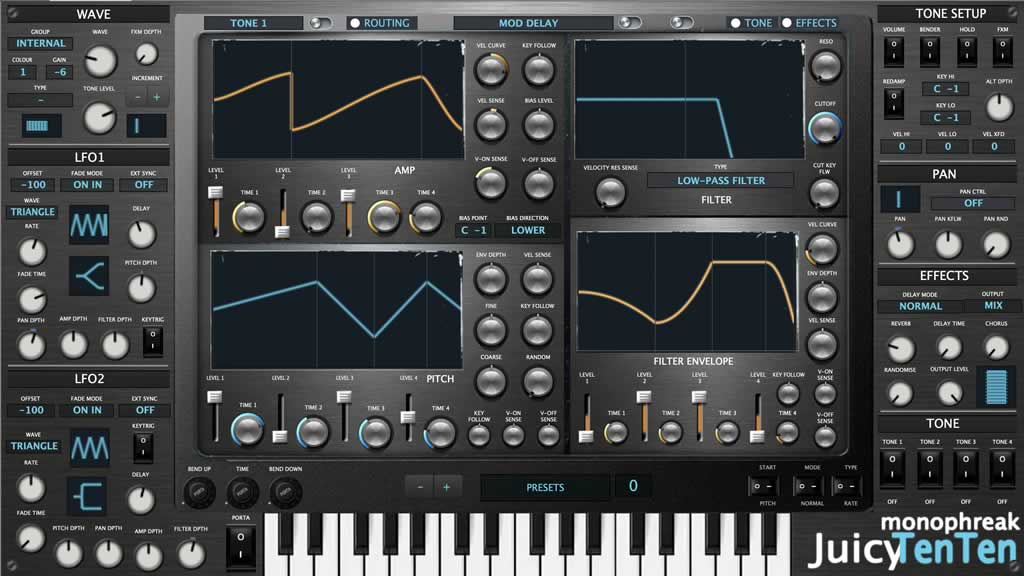
The main learning curve for this editor is that of using the LUA paint feature in combination with JUCE to make whizzy graphics. It has been a fair bit of trial and error – and a lot of learning. In the end, I needed to change my approach. I thought about feeding everything into it’s own script that then paints on load but things started to drag and early on, I found I need to optimise. One of the reaosns why there is a TONE and EFFECTS option on the top right window is that in low CPU/GPU machines or where speed is needed, the visuals can be switched off. Paint will drag and feel laggy. It’s useful though because when mixing, I like visuals, especially for the EQ. I program on a 7 year old machine in Mojave so I suspect there will be some drag from that too. I am looking forward to seeing this on a M4 Silicon Mac.
For the routing, I added an extra controller slot for the XV systems. I have an XV and therefore, decided to refer to the XV manual as well as the JV while building.
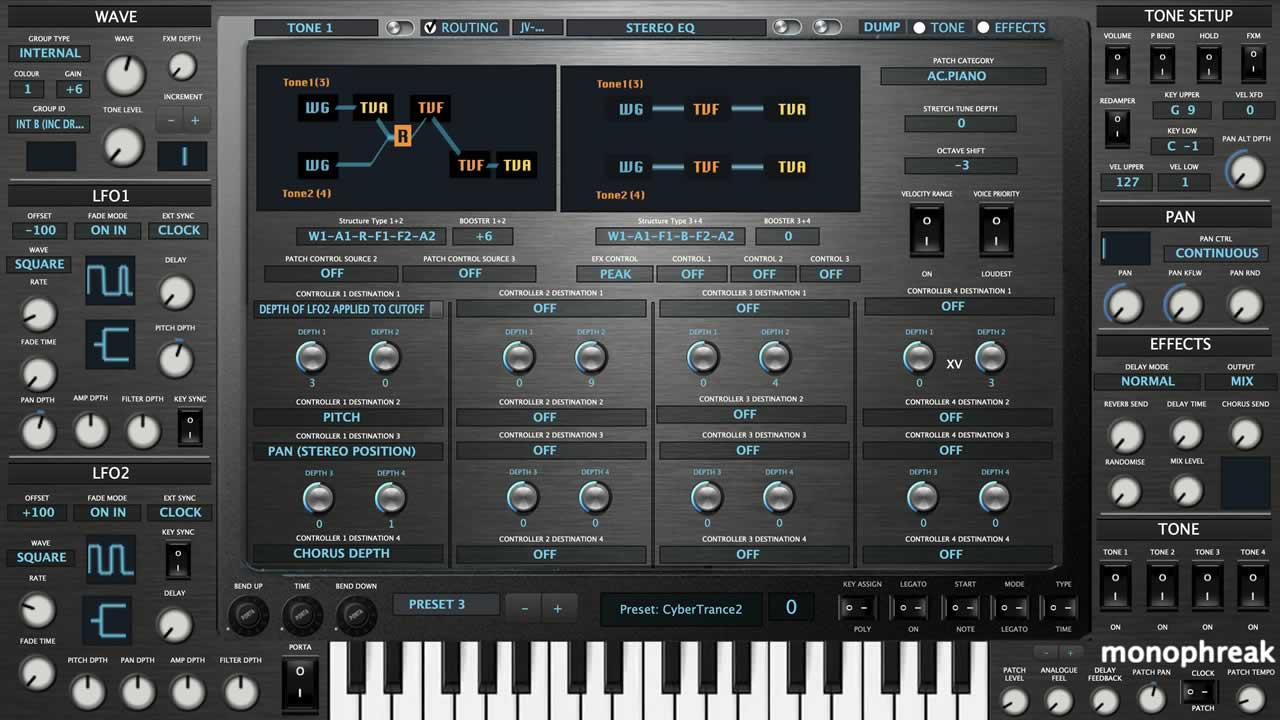
I ended up using a technique from the Lexicon project for building grouped elements on the fly which meant I could dynamically assemble the paint visuals on an as and when requeired basis. So cool. Anyhow, time to crack on and make this panel beautiful! Through this technique, I managed to go from 80 scripts to 16 for Tones 1, 2, 3, 4 and 5. To keep things slim, I decided to look at the effect families and explore overlaps so that the scripts do not spiral out again.
The JV-1010 is a fantastic system. The effects have blown me away. I noticed there is a fair bit of repetition with modules in the effects chain so I can re-use elements. In CTRLR, this is quite tricky because I need to make dynamic assignments in the Paint() code and then use comp:getProperty(“property”). After wrestling with documentation for a while, I found that CTRLR cannot obtain the information from the modulator, for example customgroup but it can from the component group via something like comp:getProperty(“componentGroupName”). The repaint can use modulator values and in this instance, I can dynamically call a repaint through a dynamic name concatenation from the modulator itself. In this case, I used customname and this enabled me to iteratively call the paint based on unique IDs. Phew! I have a plan, it has been tested and it works! This in part is why I need my blog. Remembering what I have achieved and why is a challenge at the pace I work. Well, I now have my dynamic effects build to paint a chunk of cool effects with minimal scripting and low processing power. I can make refinements and updates in one place which is efficient and saves time. All in all, pretty solid coding.
I have designed the effects system to be very visual. Examples can be found below.
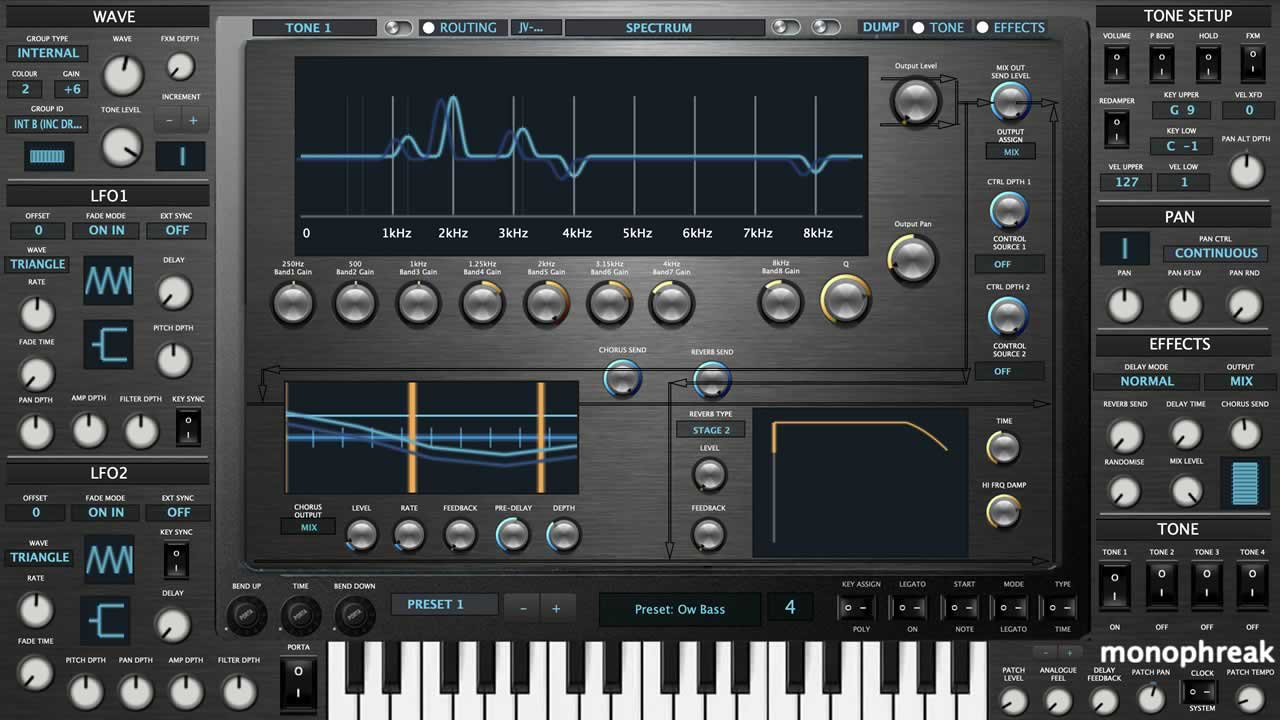
Spectrum EQ

Mod Delay
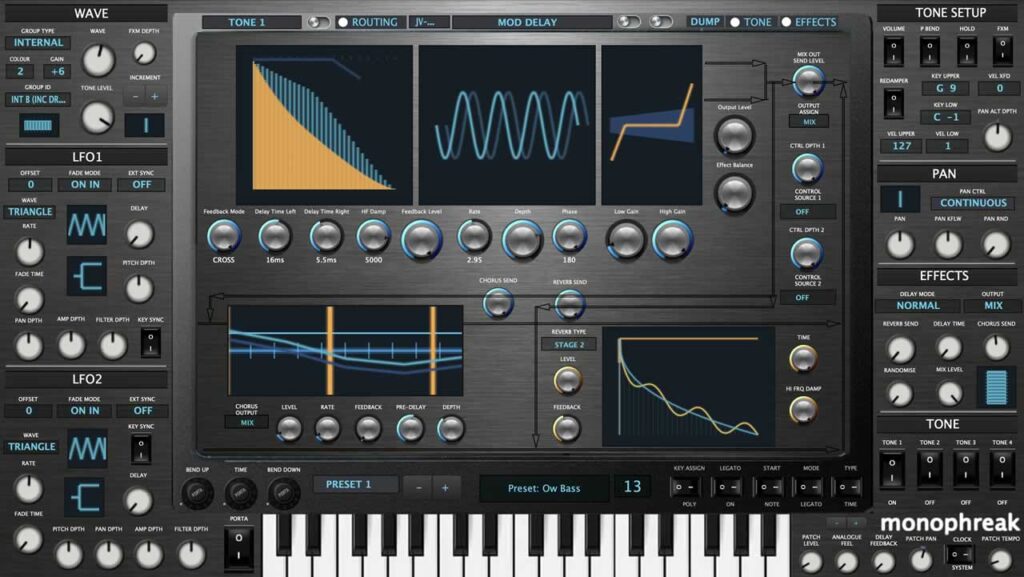
Hexa Chorus
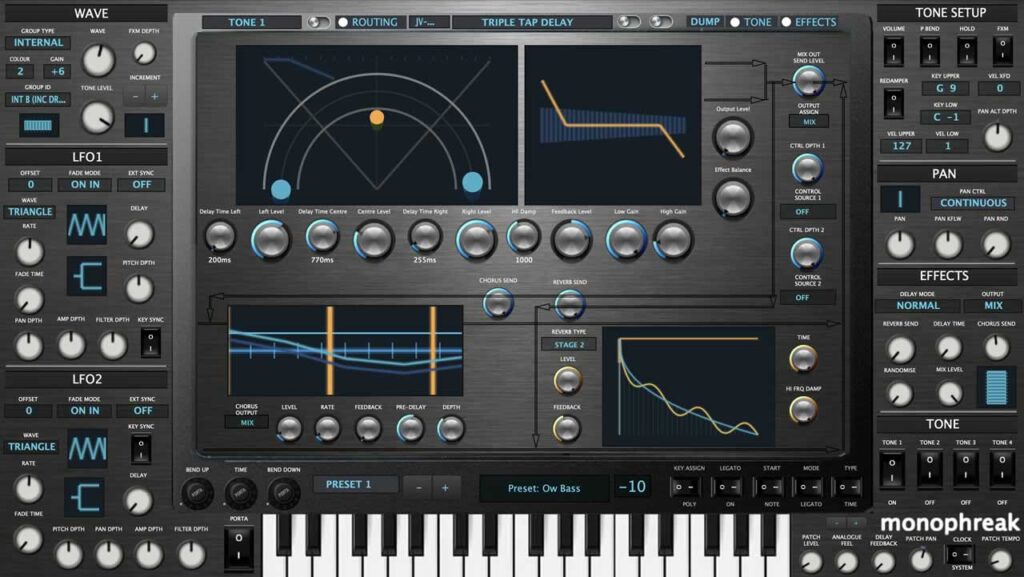
Triple Tap Delay
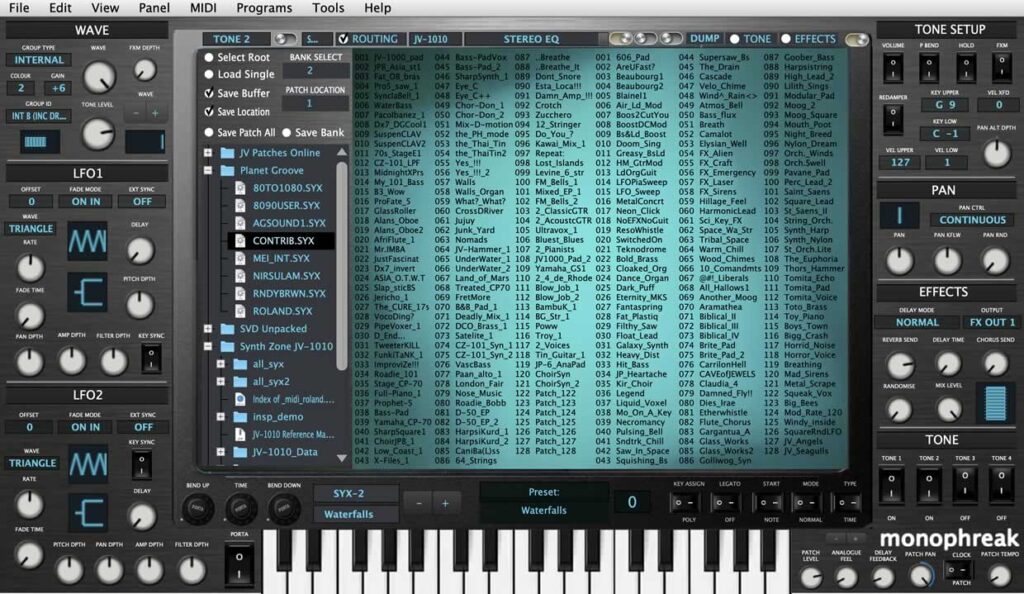
Librarian
So that I can label the sequence correctly, I will map the 40 effects here and document where paint() scripts have been reused. The number after the effect represents and iteration of the script. Each script has a dual lookup based upon the graph name and the modulator group name. This stops repainting uneccessarily to preserve cpu/gpu. It was a bit of a pain to write in but it is important to optimise when using the pain() function in JUCE. Counting up the numbers by the side of the script should reveal how many times something has been resused. If statements make two matches before painting to preserve processing power.
| Effect | Component | Component | Component |
| 1 Stereo EQ | Stereo EQ | – | – |
| 2 Overdrive | Overdrive (1) | EQ Low High (1) | Pan (1) |
| 3 Distortion | Distortion (1) | EQ Low High (2) | Pan (2) |
| 4 Phaser | Phaser (1) *Note 0-125 but SoundDiver values added to 0-124 Needs checking! | – | PanPlus (Pan and Level) (1) |
| 5 Spectrum | Spectrum (Pan Built In) | – | – |
| 6 Enhancer | Enhancer | EQ Low High (3) | – |
| 7 AutoWah | Autowah | – | – |
| 8 Rotary | Rotary | – | – |
| 9 Compressor | Compressor | EQ Low High (4) | PanPlus (2) Changed to Pan (13) |
| 10 Limiter | Limiter | EQ Low High (5) | PanPlus (3) Changed to Pan (14) |
| 11 Hexachorus | Hexachorus | – | – |
| 12 Tremolo Chorus | Tremolo Chorus | – | – |
| 13 Space D | Space D | EQ Low High (6) | |
| 14 Stereo Chorus | Stereo Chorus | Filter (1) | EQ Low High (7) |
| 15 Stereo Flanger | Stereo Flanger | Filter (2) | EQ Low High (8) |
| 16 Step Flanger | Step Flanger | EQ Low High (9) | |
| 17 Stereo Delay | StereoDelay (1) *Move to Delay (1) | EQ Low High (10) | |
| 18 Modulation Delay | Delay (2) | Modulation (1) | EQ Low High (11) |
| 19 Triple Tap Delay | Triple Tap Delay | EQ Low High (12) | |
| 20 Quadruple Tap Delay | Quadruple Tap Delay | ||
| 21 Time Control Delay | DelayLite (1) + Rotary Arc (3) | Pan (3) | EQ Low High (13) |
| 22 Voice Pitch Shifter | PitchShift (1) PitchShift (2) | Pan (4) Pan (5) | |
| 23 Feedback Pitch Shifter | Feedback Pitch Shifter | Pan (6) | EQ Low High (14) |
| 24 Reverb | Reverb | EQ Low High (15) | |
| 25 Gate Reverb | Gate Reverb | EQ Low High (16) | |
| 26 Overdrive>Chorus | Overdrive Lite (1) | Pan (7) | Chorus Lite (1) |
| 27 Overdrive>Flanger | Overdrive Lite (2) | Pan (8) | Flanger Lite (1) |
| 28 Overdrive>Delay | Overdrive Lite (3) | Pan (9) | Delay Lite (2) |
| 29 Distortion>Chorus | Distortion Lite (1) | Pan (10) | Chorus Lite (2) |
| 30 Distortion>Flanger | Distortion Lite (2) | Pan (11) | Flanger Lite (2) |
| 31 Distortion>Delay | Distortion Lite (3) | Pan (12) | Delay Lite (3) |
| 32 Enhancer>Chorus | Enhancer (2) | Chorus Lite (3) | |
| 33 Enhancer>Flanger | Enhancer (3) | Flanger Lite (3) | |
| 34 Enhancer>Delay | Enhancer (4) | Delay Lite (4) | |
| 35 Chorus>Delay | Chorus Lite (4) | Delay Lite (5) | |
| 36 Flanger>Delay | Flanger Lite (4) | Delay Lite (6) | |
| 37 Chorus>Flanger | Chorus Lite (5) | Flanger Lite (5) | |
| 38 Chorus/Delay | |||
| 39 Flanger/Delay | |||
| 40 Chorus/Flanger |
The Band Pass Filter on the Tones
While building the band pass filter, I discovered that the JV combines a low and high pass filter which leaves a shape that is not symettrical.

Why it looks “odd”
According to AI, the JV‑1080’s band-pass filter is built from a high-pass slope on the left, a low-pass slope on the right, both converge at the cutoff and esonance adds a peak at the cutoff but the HPF and LPF slopes are not equal:
- The HPF side (left) is smoother
- The LPF side (right) is steeper
- The resonance peak leans slightly toward the LPF side
So the result is a curve that looks like the one above. Quirky, interesting and as many vintage synths are, full of charm and character. No idea how accurate this is and something I may revisit later.
The Peak Filter
Since I researched it, thought I’d add a link here for future reference: SoundonSound (link).
Back to work on the JuicyTenTen. Nice to see where I left this last Christmas. It’s in really good shape. Reading all preset data, sending all SysEx. I’m fine tuning modulator names for the DAW at the moment and reading through a few forums to see the differences between hardware and types of extras to enhance the editor. So far, this includes JV-2080 lookup for three effects instead of one and hard coding sole of the presets so they translate to other modes provided it has the waveform. E.g. Vintage and one of the SRX cards with the vintage waveforms. It’s possible to also do vice versa. I’ll research more.
I’ll need to look at loading all patch names from User and then saving. After that, I am ready for my first release. I’ll add more features with future updates.
Oh, and in case I forget – I’ll update the tables to include values so I can run a randomise feature. They are always fun and lead to interesting sounds.
Added in patch save to location your choosing. Add in randomise tone function and included a randomise all tones.
Been working on the preset system. I have created a lookup table for the waves and attached to the main LCD. I have the session list to build next. So far, internal and external cards seem to be aligned. To get all waves for all cards in will be a bit of a mission since there isn’t an easy list to copy from.
The random patch facility is really good fun. I created a random preset name generator but being as it could potentially generate anything – I’ll have to add some information to the readme because I do not want to bloat the software with an inappropriate words list.
Working on the wave lists for the official expansions. really long and laborious but I like to know which wave I’m working with so it must be done.
Worked out how to change the presets based upon internal, session and external for the difference bits of hardware and written in a way to update based on hardware.
I have been working on a system to lookup every patch name from every expansion. It’s a pain. I have needed to clean every list from every manual and put in a format that will load into the menu system. I have it working for the first 9 and it’s a case of rinse and repeat, wading through manuals.
However, it is this type of thing which elevates the editors. You get complete visibility without having to refer to the manual which improves workflow. So, a few days of manual reading is well worth it when I make my next track.
how do we get it? purchase? download? would love to have it.–mike
Great to hear from you Mike. It’ll be a free download via the usual form (though coffee gifts are always appreciated as they help with future projects). For time lines, I just finished the EMMY1OH1 for the modded Roland EM-101, I’m away on location for a week, then will be working on releasing the upgraded UF1 for the VF-1 (almost complete) the week after. After that, I head back to the JuicyTenTen. For the JuicyTenTen, the editor will have lua paint graphics but lua paint graphics won’t run in DAWs which means I will build some lightweight gifs based on my existing graphics. However, editor and plugin will work together beautifully and I’ll add in features that help. I’ll then head back to the X70 for the Boss SE-70 to add in Librarian and DAW features. In between, things may be a bit bumpy as I’m relocating my home studio plus have lots of cables to cut and solder. I will add updates to the JuicyTenTen pages in the comments section at the botton (and any other plugin pages) in case anyone wants to follow along.
Looking forward to this editor for the JV-1010!
Thanks, I’m looking forward to finishing this and the VF-1 editor off quite shortly. I have to relocate all of my studio gear and then will be back on it!
Hi there! Found this awesome project from your comment about it on the Gearspace JV-80 wifi card thread.
I recently switched my entire studio over to Linux to avoid the continual downward spiral of Windows 11, and was happy to see that many plugins and DAWs are beginning to support Linux nowadays. Juicy-1010 looks incredible, and I’d love to be able to use it on my new setup, are there plans for a Linux VST3 version?
Thank you for your time and efforts!
Thanks LinuxDude. There is potential to port to Linux. My biggest concern is compiling the files with encryption. If it’s close to Apple (Unix), it may not be a big deal. I’d also need to create a Linux development environment. CTRLR does provide a Linux export facility (I think) and will take a look at this but it will be later on in the year as I have a backlog of work to complete.