
Hey there everyone! My latest post is something very special.. I have worked out all of the 15 blocks of 519 rows of SysEx inside the Roland TR-707. I completed this as a potential pre-cursor to the TR-626. It all started out by a bit of luck, I managed to get my hands on this bit of kit which I’d say would useful be out of my reach.
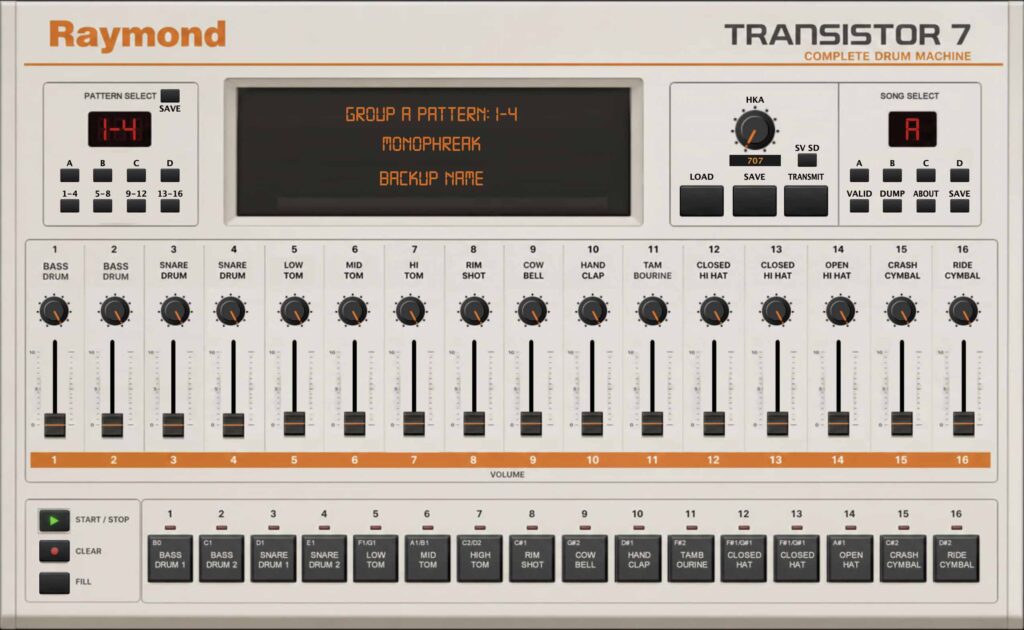
I then started think about how to I use it – do I trigger the sounds from a DAW? if so, probably best to get my hands on something like the Expert Sleepers Usamo to keep the timing tight or so I run it from the machine itself? and get something like the ER-M multclock to keep things tight. My conclusion was – why get a TR-707? the samples are easy to replicate with Battery – so why not see what’s onboard and here is the key. It has its own, Roland shuffles and groove. Own interactions onboard the TR-707 – so that’s the character but to harness this, I’d need to edit all of the patterns and then string together into a sequence for songs. I can then start the TR-707, din sync’d with the multiclock and get the vibe, not just the sound.
Well, all of this is a good plan but what a headache. Recording patterns is a really job – especially the pattern editor tap option. You can make beats in moments. Absolutely love it but then – stringing it together? wow, that’s a lot of patterns to remember and I’m not that great at remembering much. So, time for an editor to unlock the power of this beautiful machine from 1985.
As per usual, I’m not affiliate with Roland, I just love their gear and integrate it into my setup. I then share.
————————————————-
Version 1.0 available for download.
————————————————-
Instructions:
- Menu, MIDI –> Input Device
- Menu, MIDI –> Input Channel (match to the TR-707)
- Menu, MIDI –> Output Device
- Menu, MIDI –> Input Channel (match to the TR-707)
Pattern
- Click dump to receive data from the TR-707 or load in an existing SysEx file by clicking on the LOAD button.
- Pattern, click on group A, B, C, D and the 1-4, 5-8, 9-12, 13-16.
- Edit by clicking on the blocks.
- Click the save button AFTER making changes!
Song
- Click on song A, B, C, D.
- Use the dropdown menu to sequence patterns A-D, 1-16.
- Click the SAVE button to save the sequence.